
How to sell directly
Make direct ordering part of every service.
A practical launch plan for introducing your Bistreo website to customers and getting your kitchen ready.
0% Bistreo order commission. Payment-provider fees are separate.
01 / How to sell directly
Make the menu easy to choose from
Use clear item names, accurate descriptions and useful photos. Check required choices, prices and sold-out items so guests know what they can order.
02 / How to sell directly
Prepare your team before launch
Check notifications, background operation and printer setup. Make sure staff know how to accept, decline and mark orders ready, and how to handle each payment method.
03 / How to sell directly
Launch with a clear invitation
Share your direct website link with existing guests, add it to your social profiles and test printed QR codes. Explain which services and locations are available.
Restaurant marketing →Inside Bistreo
Set it up in your dashboard
Use Selected store in the dashboard header to switch locations, then follow the steps below. Tap a screenshot to view it at full size.
- 1
Set your service hours
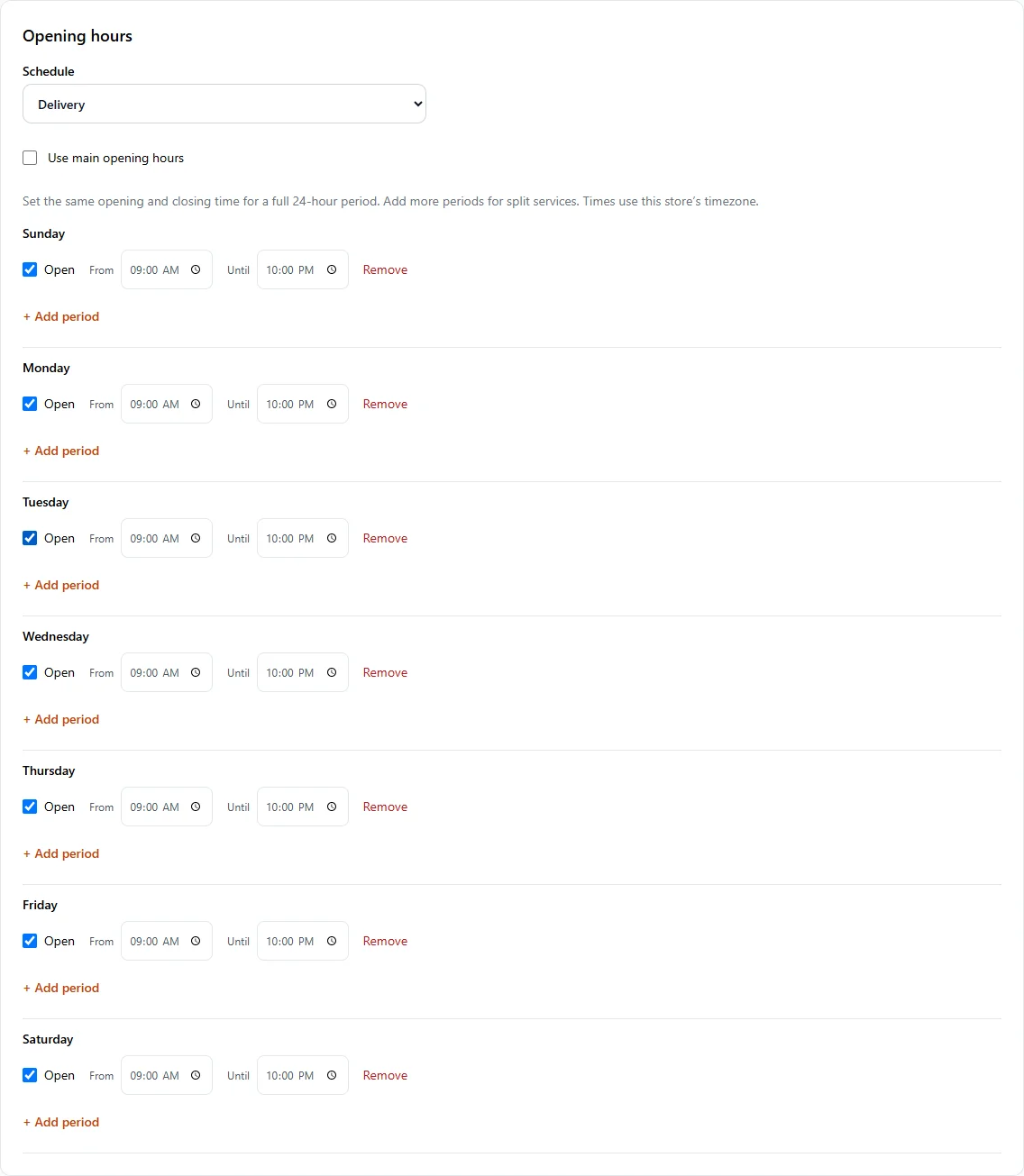
In Store Management, open Store & team → Services & opening hours. Set Main opening hours, then select a service in Schedule to give it different hours. Leave Use main opening hours checked to share the main schedule. Use Add period for split services and Save services & opening hours when finished.
- 2
Create an offer with explicit limits
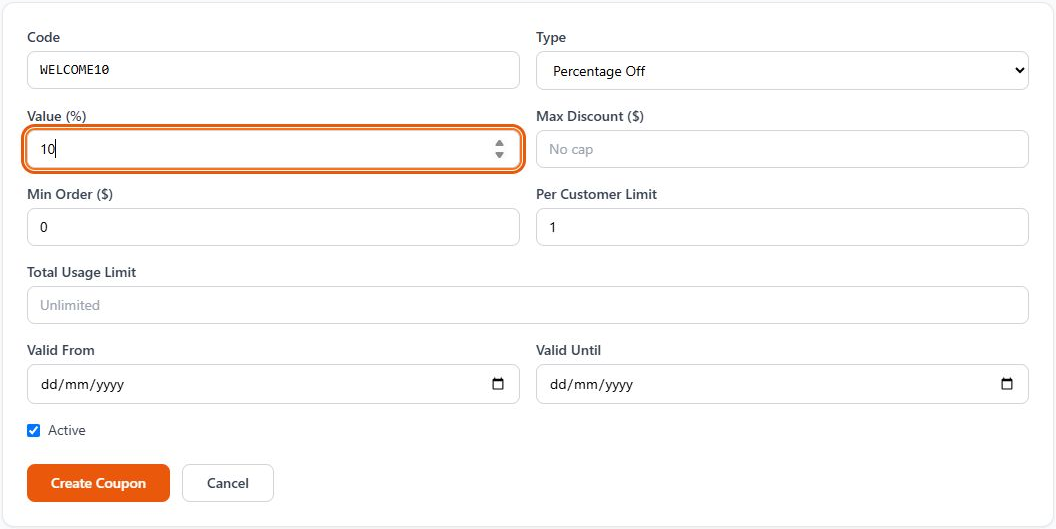
Open Coupons → + New Coupon. Set its code, Percentage Off or fixed amount, value, minimum order, usage limits and validity dates. Create the coupon, then test it on the correct store before promoting it.
Make it yours
Your next order can come directly to you.
Start with one Free store. Add your menu, verify your settings and test the complete flow before opening for orders.
Get started with Bistreo