
Table reservations
Welcome guests before they walk through the door.
Take reservation requests from your restaurant website and give your team control over acceptance.
0% Bistreo order commission. Payment-provider fees are separate.
01 / Table reservations
Availability comes first
Guests choose their reservation date, time and party size before entering their contact details. They can request a booking without registering an account.
02 / Table reservations
A request needs acceptance
Reservations arrive in the staff app for your team to review. A submitted request is not a confirmed table: staff must accept it.
03 / Table reservations
Keep a record for service
Once accepted, use the reservation print template for a paper record. Configure reservation availability and settings for each store before sharing the booking link.
Table and room ordering →Inside Bistreo
Set it up in your dashboard
Use Selected store in the dashboard header to switch locations, then follow the steps below. Tap a screenshot to view it at full size.
- 1
Enable and configure reservation requests
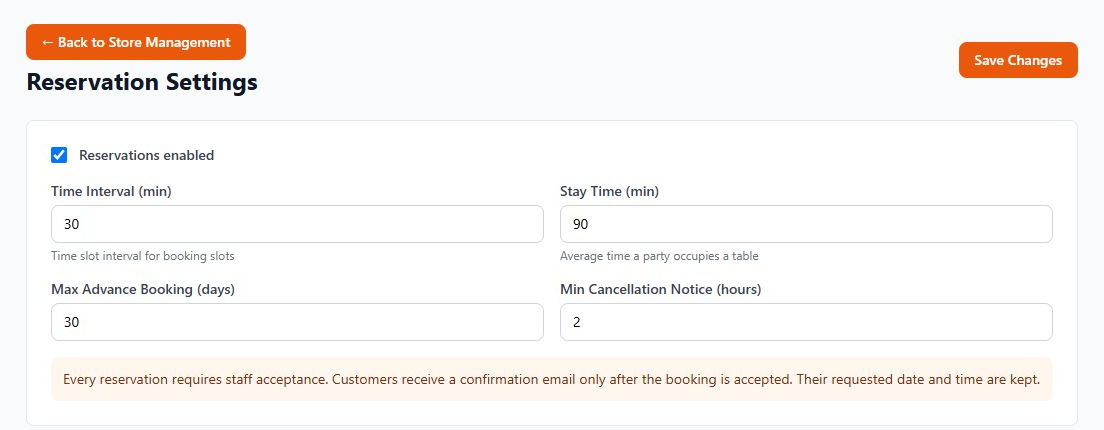
In Store Management, select your store, then open Ordering & reports → Reservation rules. Enable reservations, choose the Time Interval, Stay Time and Max Advance Booking, then Save Changes. Customers choose availability before contact details. Every booking still needs staff acceptance; the requested date and time are retained.
- 2
Set your service hours
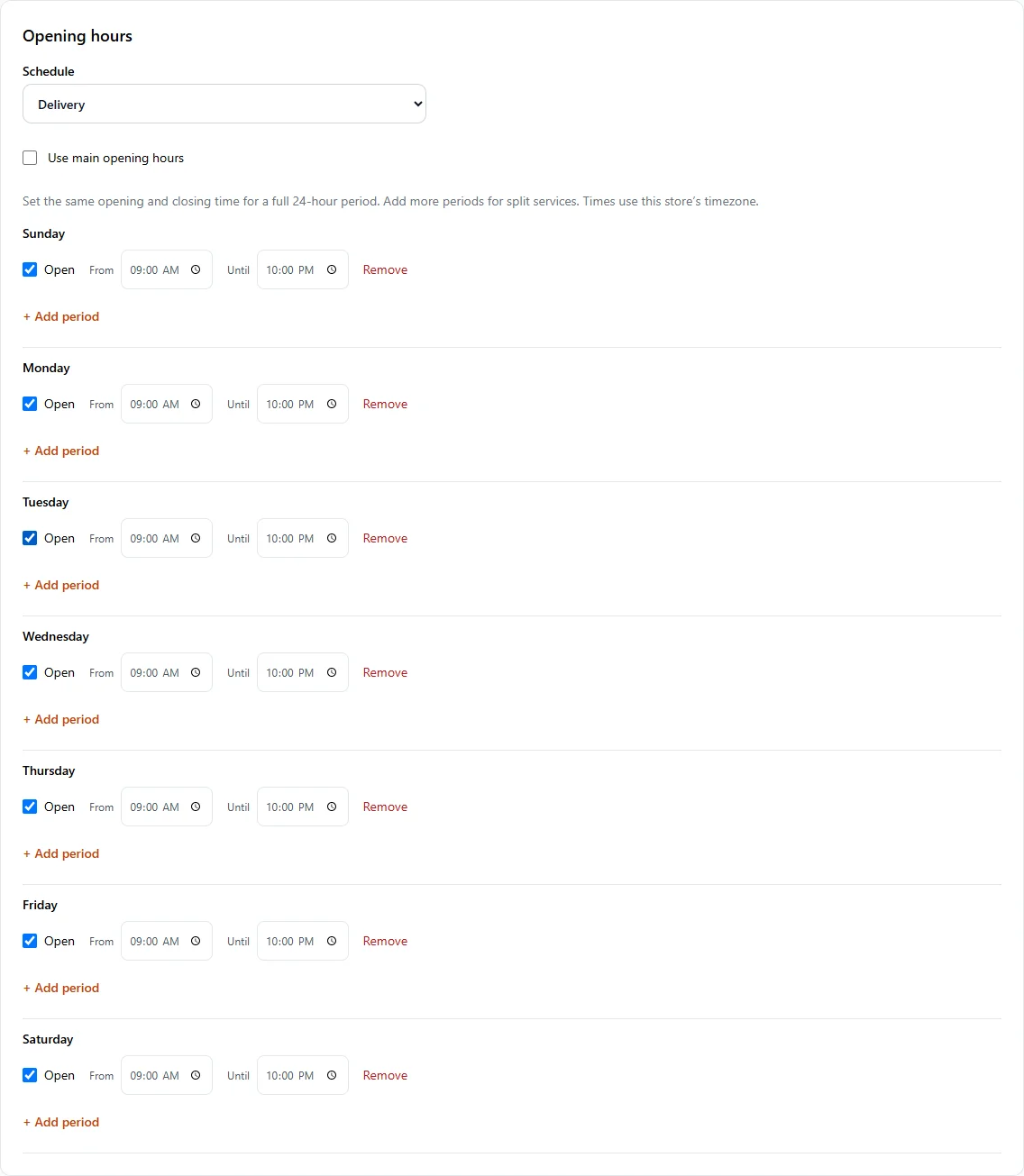
In Store Management, open Store & team → Services & opening hours. Set Main opening hours, then select a service in Schedule to give it different hours. Leave Use main opening hours checked to share the main schedule. Use Add period for split services and Save services & opening hours when finished.
Make it yours
Your next order can come directly to you.
Start with one Free store. Add your menu, verify your settings and test the complete flow before opening for orders.
Get started with Bistreo