
Scheduled orders
Let customers plan their next meal.
Offer advance pickup and delivery ordering with times that follow the selected store’s settings.
0% Bistreo order commission. Payment-provider fees are separate.
01 / Scheduled orders
Offer future ordering when it suits you
Configure future ordering under Store Management → Ordering & reports → Order rules for the selected store, and check its opening hours and service availability. Table and room QR orders remain for immediate service.
02 / Scheduled orders
Keep the customer’s chosen time
A scheduled order arrives with its requested fulfilment time. Staff still press confirm to accept it, without having to enter a new ready time.
03 / Scheduled orders
Handle orders placed outside service hours
Eligible orders placed while closed can be received for later handling. Kitchen alerts and the acceptance countdown wait until opening; customers receive confirmation after acceptance.
Pickup and delivery setup →Inside Bistreo
Set it up in your dashboard
Use Selected store in the dashboard header to switch locations, then follow the steps below. Tap a screenshot to view it at full size.
- 1
Configure orders and scheduled times
In Store Management, select your store, then open Ordering & reports → Order rules. Enable Online ordering and choose minimums and lead times. Enable future ordering (scheduled orders) allows customers to choose Later at checkout. Press Save Changes. Website & display → Ordering page controls appearance; future ordering is configured in Order rules.

- 2
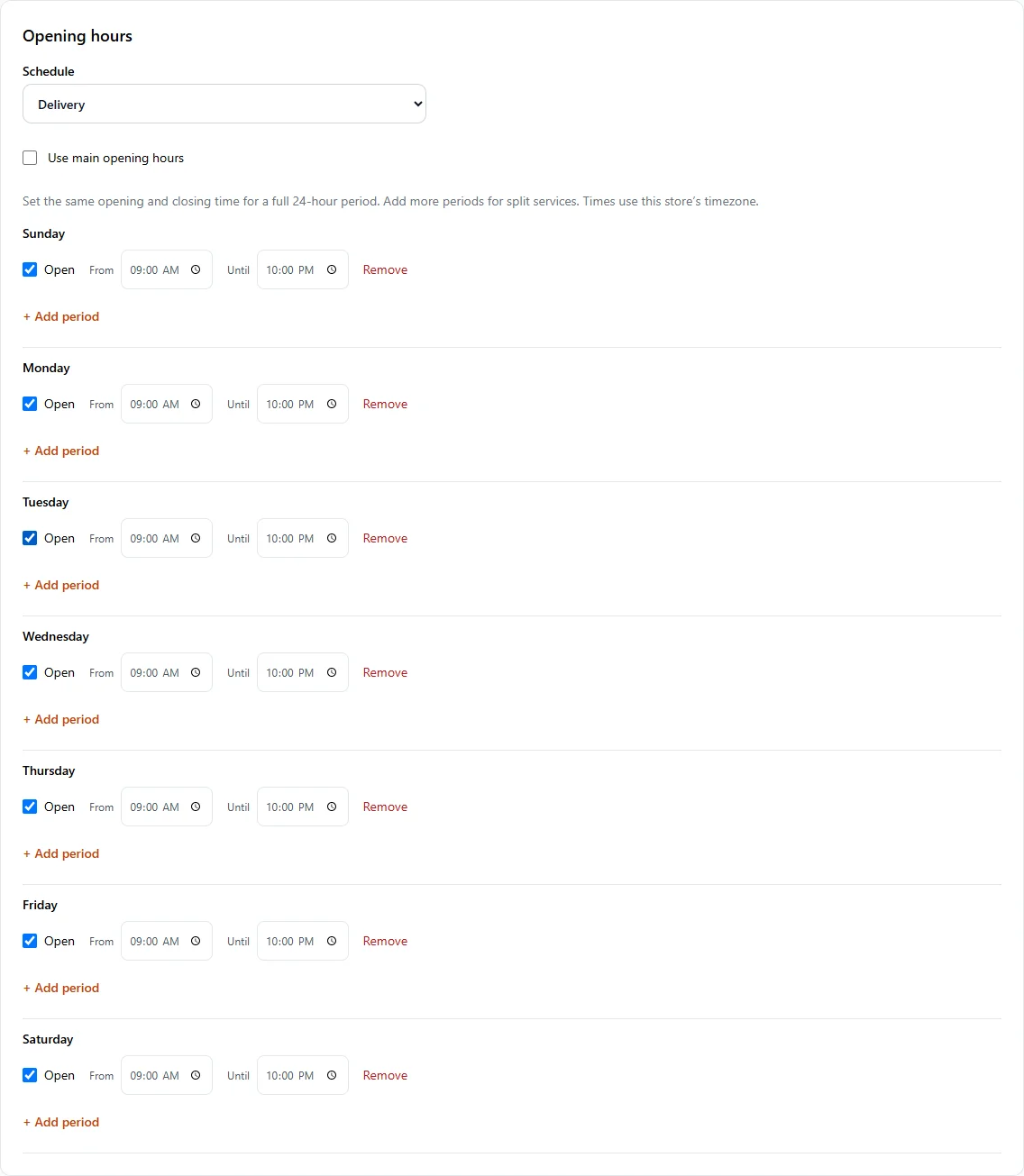
Set your service hours
In Store Management, open Store & team → Services & opening hours. Set Main opening hours, then select a service in Schedule to give it different hours. Leave Use main opening hours checked to share the main schedule. Use Add period for split services and Save services & opening hours when finished.
Make it yours
Your next order can come directly to you.
Start with one Free store. Add your menu, verify your settings and test the complete flow before opening for orders.
Get started with Bistreo