
Pickup
Customers order ahead in their browser. Your team accepts the order and confirms when it will be ready to collect.
Pickup & delivery · Setup guide
Offer pickup, delivery or both from your own restaurant website. Bistreo takes 0% order commission; payment-provider and third-party fees remain separate.
Set up your services ↓Customers order ahead in their browser. Your team accepts the order and confirms when it will be ready to collect.
Accept orders inside your configured delivery zones, with your own fees and minimums. Your restaurant’s delivery team fulfils the orders.
Inside Bistreo
Use Selected store in the dashboard header to switch locations, then follow the steps below. Tap a screenshot to view it at full size.
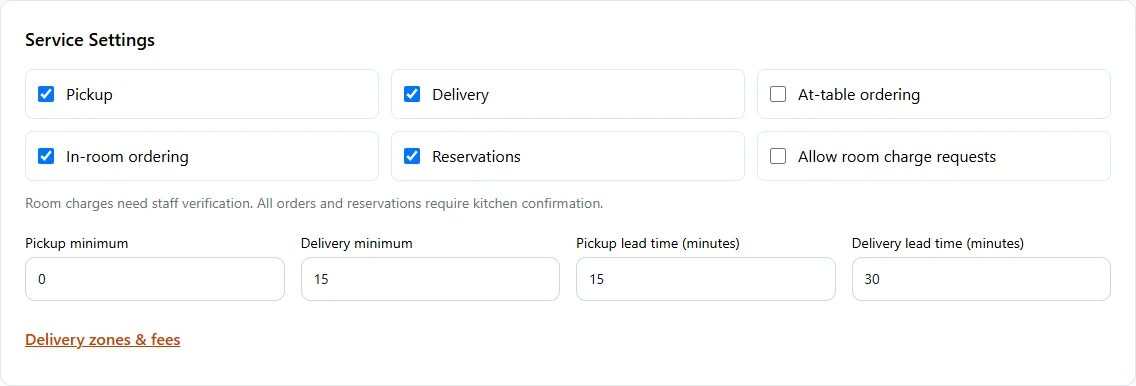
In Store Management, open Store & team → Services & opening hours. In Service Settings, enable Pickup, Delivery, At-table ordering, In-room ordering or Reservations. Set lead times and minimums, then Save services & opening hours.
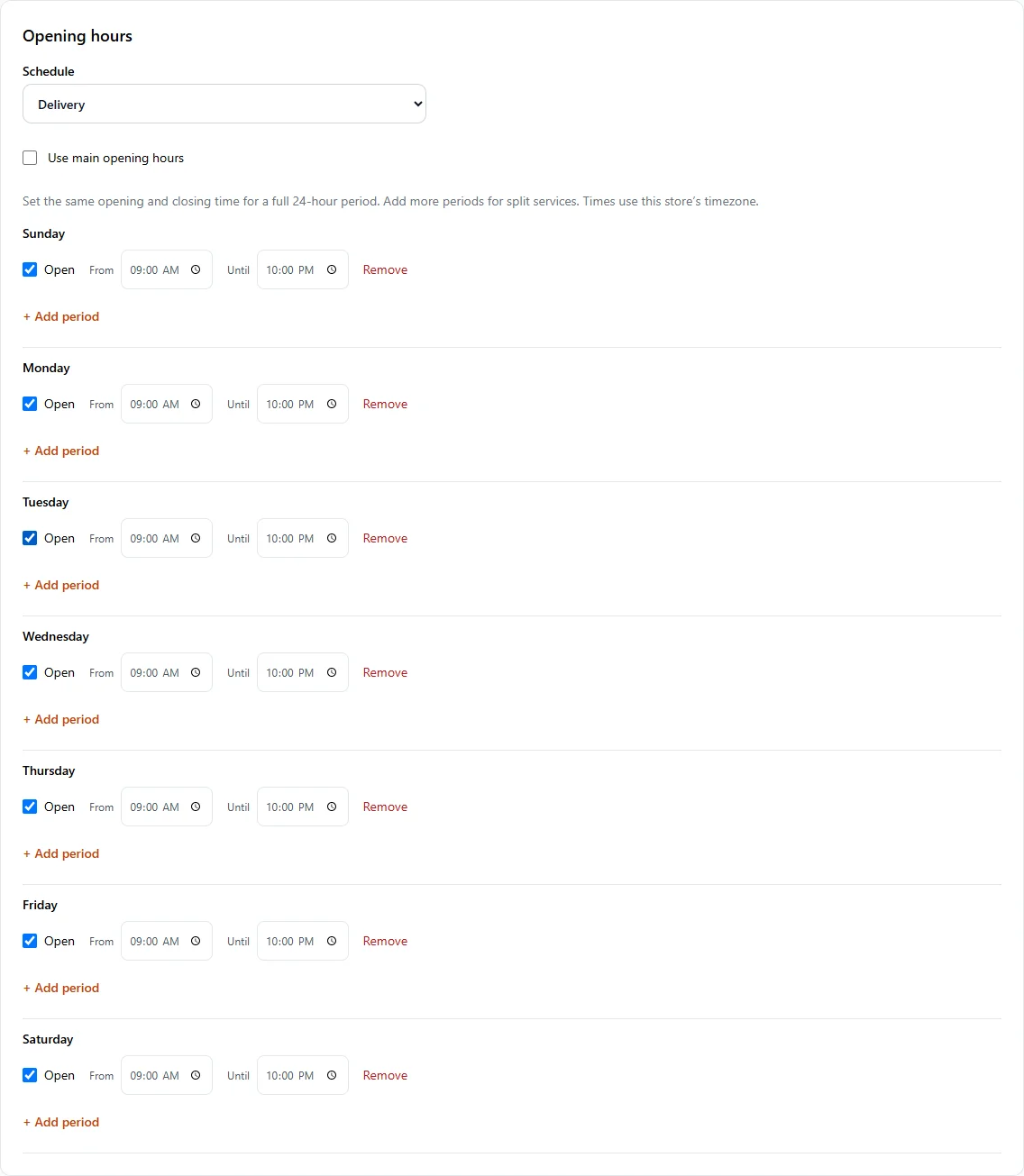
In Store Management, open Store & team → Services & opening hours. Set Main opening hours, then select a service in Schedule to give it different hours. Leave Use main opening hours checked to share the main schedule. Use Add period for split services and Save services & opening hours when finished.
In Store Management, select your store, then open Ordering & reports → Order rules. Enable Online ordering and choose minimums and lead times. Enable future ordering (scheduled orders) allows customers to choose Later at checkout. Press Save Changes. Website & display → Ordering page controls appearance; future ordering is configured in Order rules.

Staff still accept or decline incoming orders. Stock, opening hours, pauses, minimum order amounts and delivery-zone rules apply. Scheduled orders keep the customer’s requested time when accepted.